The frame is part of the message
Cropping removes part of a photograph to create a new frame. It may help a viewer find the subject more quickly, reduce a distraction, or fit an image into a particular layout. It can also remove information that explains what is happening. Before dragging a crop boundary, ask two questions: What do I want viewers to notice first, and what do they need to see to understand it?
Imagine a photograph of a person standing beneath a large tree beside a busy path. A tight crop around the person might emphasize their expression. A wider crop could show how small they appear against the tree and how the path connects them to a public space. Neither frame is automatically better. They answer different visual questions. This is why cropping is more than a tidy-up step: it decides which relationships remain available to the viewer.
Understand the shape before moving the edges
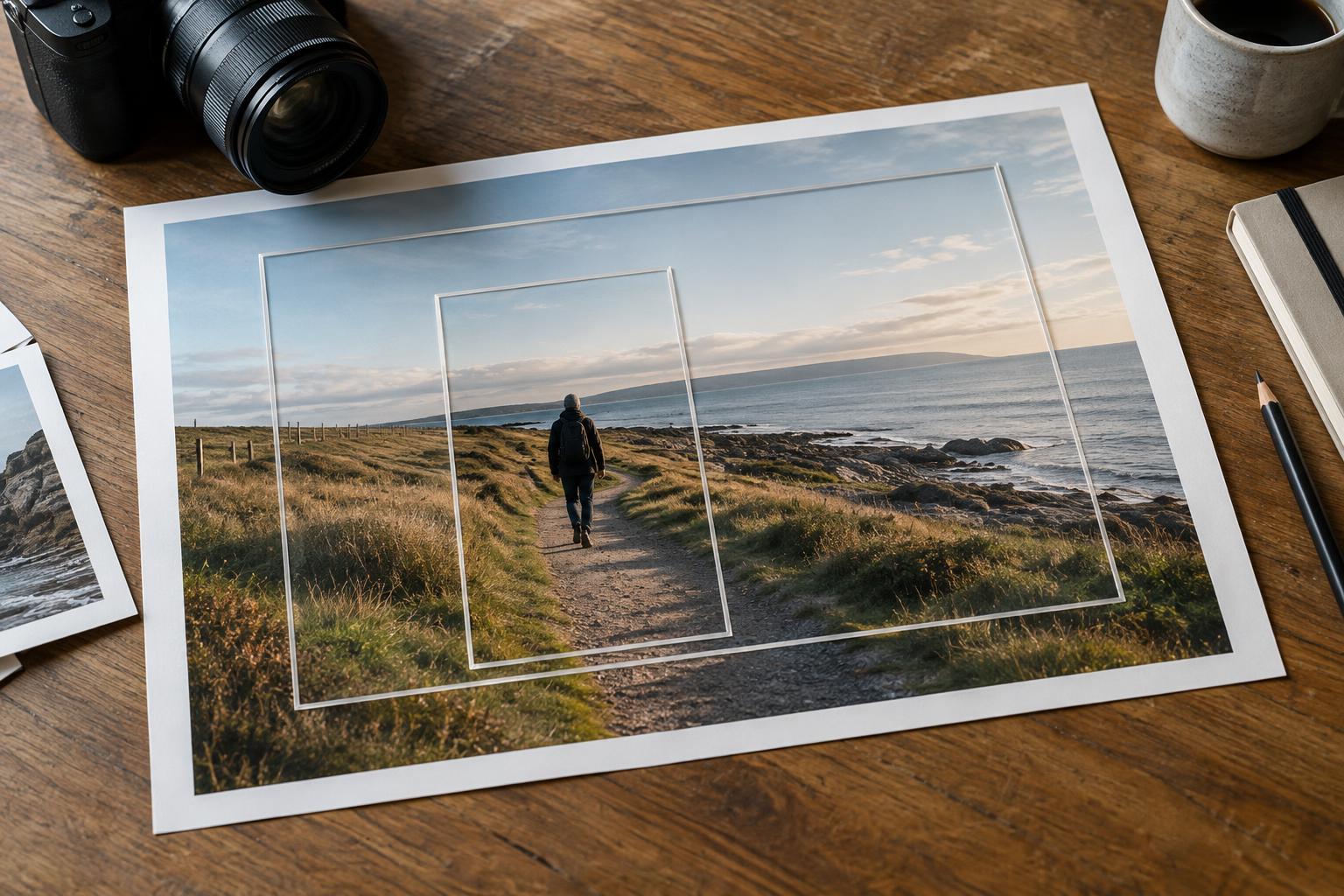
An aspect ratio describes the proportional relationship between a frame’s width and height. A square has equal sides; a wide rectangle gives more room across the scene; a tall rectangle gives more room from top to bottom. The ratio describes shape, not image quality. A crop can change the ratio without changing the camera position or the perspective recorded at the moment of exposure.
Different shapes encourage different arrangements. A wide frame can hold a subject alongside its surroundings, establish a sense of distance, or give movement somewhere to lead. A vertical frame can follow the height of a person or building and make foreground-to-background layers more prominent. A square often calls attention to central placement or balanced forms. These are useful tendencies, not rules: a wide image can feel intimate, and a square image can contain considerable context.
When evaluating a ratio, look beyond whether the subject fits. Notice where the subject sits in the new frame, how much space lies in the direction they face or move, and whether important lines now meet the edges awkwardly. Empty space can provide scale or a pause; removing it may make the image feel urgent. Conversely, keeping too much space may weaken a small but important gesture.
Notice what a crop leaves out
The edges of a photograph can contain context as well as clutter. A sign may establish a setting. Another person’s gesture may explain a reaction. A shadow may reveal a light source or add a visual counterweight. Cropping those elements changes not just the design but potentially the viewer’s interpretation. Before removing something, identify its role: distraction, visual balance, or information.
This matters especially in documentary work. A tighter frame can be legitimate when it directs attention to an observed detail, but it should not create a misleading account of an event. If removing a nearby person or object makes an interaction appear isolated when it was not, reconsider the crop or use a wider frame. You do not have to include every detail; you do need to consider whether the details you exclude materially change what the picture seems to say.
Crop for the intended use without losing the photograph
A photograph may need several versions for different placements: a wide page opening, a vertical cover, or a small thumbnail. Start by choosing the strongest frame for the image itself, then test the required shapes. Do not assume that a composition that works at full size will remain clear when viewed small. Fine details may become difficult to notice, while a face or bold shape may carry the image more effectively.
Leave practical room for text or layout elements only when the placement calls for it. Check the crop at its likely display size and inspect all four edges. Avoid cutting through a hand, a key object, or a strong line by accident; an intentional cut can work, but it should look deliberate. If a required ratio removes essential context, consider a different photograph or layout rather than forcing the image into that shape.
Make a reversible decision
Keep the original file and make cropping decisions in an editable workflow when possible. Try two or three candidate frames rather than nudging one crop indefinitely. Compare them at the same viewing size: which has a clear point of attention, useful context, and edges that feel resolved? Then step away briefly and look again. A crop that first appears cleaner may later feel cramped or incomplete.
Cropping removes image area; it cannot restore detail outside the retained frame. A tighter crop also leaves fewer pixels for large output, depending on the original file and intended use. That is another reason to avoid cutting more than the picture needs. The goal is not to fill every corner or follow a preferred ratio. It is to choose boundaries that help viewers see the subject while preserving the relationships that give the photograph its meaning.